Dota2PornFx item effects guide
Where to equip item effects in Dota 2
The short answer: open the relevant item or hero Loadout in Dota 2, select an eligible cosmetic, and look for its Equip or item-effect slot. A local VPK or ZIP mod is a different path: it changes files on your computer and will not appear as an inventory item.
Quick answer: where to equip item effects
For an official Dota 2 cosmetic, start from the Armory or the hero's Loadout, select the item that supports an effect, and use the Equip control or the item-effect slot shown by the current client. The exact menu label can move after a patch, so follow the item and hero context rather than searching for a universal button name.
An effect is normally tied to an eligible cosmetic item, hero, ability, or loadout entry. If the effect slot is missing, first check that you are viewing the correct hero or item, that you own the relevant cosmetic, and that the item actually supports an effect. A normal gameplay item purchase is not the same thing as equipping a cosmetic effect.
Dota2PornFx also indexes community-made local effect replacements. Those ZIP or VPK packages are not equipped in the official Loadout. They are installed through the matching local-mod workflow, can stop working after a Dota 2 update, and should be tested with a backup and one package at a time.
Find the official effect slot in Armory or Loadout
Open Dota 2 and enter the inventory, Armory, or hero customization area used by your current client. If you begin from a hero page, open that hero's Loadout so the game filters the available cosmetic slots for the correct character.
Select the owned item or cosmetic that should carry the effect. Look for an Equip action, a customization slot, or an item-effect selector. Some effects are attached to a specific item family, while others are associated with a hero or ability; the available slot is therefore determined by the object you selected.
Save or close the loadout, then preview the affected action in a low-risk context. If the effect is not visible, re-open the same item, confirm that the slot is active, and check whether the client needs a restart or a fresh match preview. Do not install a local mod as the first response to a missing official slot.
- Choose the correct hero or item context.
- Select an eligible owned cosmetic.
- Use Equip or the visible item-effect slot.
- Preview the result and re-check after a client update.
What counts as an item effect?
| What you are changing | Where to look | What it changes |
|---|---|---|
| Official item effect | Armory or the relevant hero Loadout | Your account's equipped cosmetic presentation |
| Hero or ability effect | Hero Loadout or the supported ability section | A spell, attack, or hero-specific visual |
| Local VPK or ZIP effect mod | The local installation path described by the mod source | Files on your computer only; not a Steam inventory item |
| Workshop custom game | The custom-game or Workshop page | Content inside that game mode, not a normal item slot |
Official cosmetics vs local item-effect mods
The phrase item effect can describe two very different things. An official cosmetic is connected to an account-owned item and is selected through the game's own customization surface. A community mod is a local replacement that changes how files are rendered on your machine. The names may overlap, but the ownership, installation, rollback, and patch behavior do not.
Use the official Loadout when you want a supported inventory cosmetic. Use a local mod guide only when you intentionally want a community-made visual change and understand that it may be incompatible with a later Dota 2 patch. Never describe a local ZIP or VPK as an official cosmetic, a guaranteed-safe file, or a way to add an item to Steam.
The concept illustration below is only an explanatory diagram. It is not a screenshot of Dota 2 and does not claim that every client uses the same menu layout. The practical rule is stable: official effects are equipped in the game’s supported customization flow; local replacements are backed up, installed, tested, and removed as files.
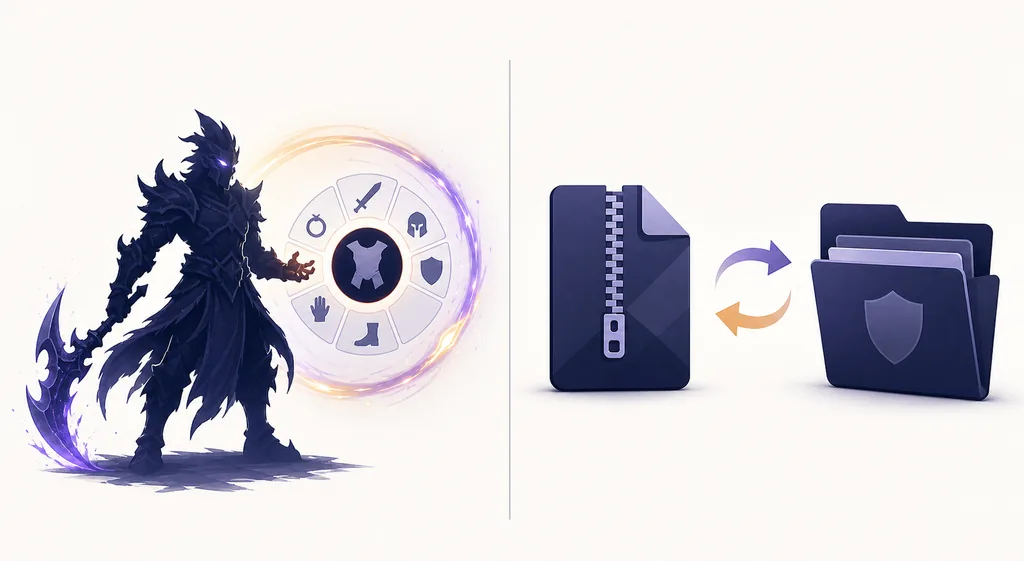
Use the upstream preview catalog before downloading
When your intent is a community-made effect, open the Item Effects category and inspect the preview, file type, update date, and source link before choosing a package. The category preserves the upstream Dota2PornFxWeb destination; it does not turn an info-only card or an upstream file into a hosted official download.
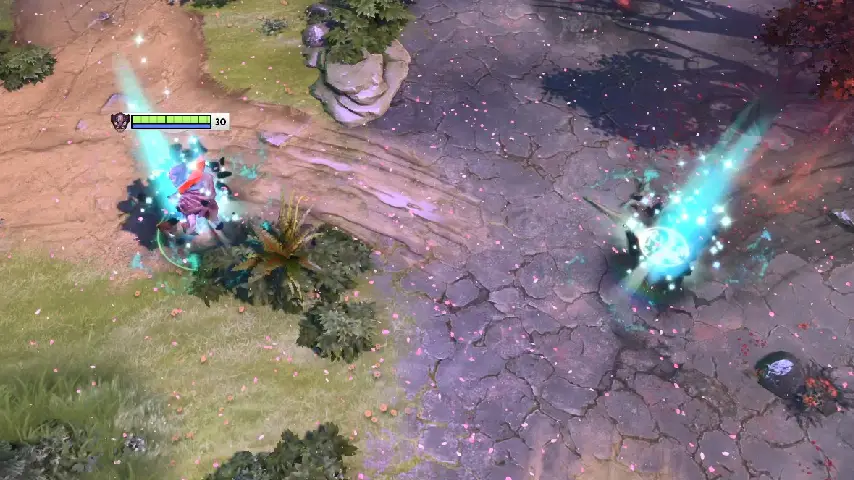
Real upstream previews are useful for identifying the affected item, but a preview does not prove current patch compatibility. Compare one package at a time, keep the original files available for rollback, and read any upstream notes attached to the resource.
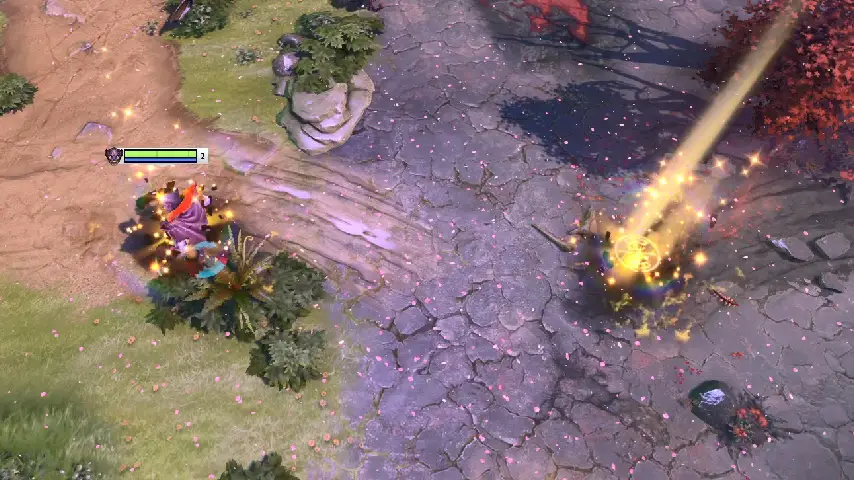
- Match the item name and preview to the package you intend to test.
- Keep the ZIP or VPK outside the game folder until you understand its contents.
- Back up the target files before making a local replacement.
- Remove the newest package first when troubleshooting a conflict.
If the effect does not appear
For an official effect, return to the same hero or item Loadout and confirm that the cosmetic is selected in the correct slot. Check ownership, the selected hero, and whether the current client has changed the location or name of the customization control. A missing preview can be a context problem rather than a broken effect.
For a local mod, start with a clean baseline. Check the archive contents, target path, file type, load order, and the Dota 2 version you are testing. Remove the last package you added, launch the unmodified game, and reintroduce one change at a time. If a patch changed the file structure, follow the original source instructions instead of stacking more packages.
- Official slot missing: verify the hero, item, ownership, and current Loadout context.
- Preview missing: restart the client or check the cosmetic after a clean loadout refresh.
- Local mod missing: verify the target path and whether the package is VPK, ZIP, or info-only.
- Broken after a patch: remove the newest change and restore the backup before retesting.
Where to equip item effects in Dota 2 FAQ
Continue with related Dota 2 pages
Sources checked
- Dota 2 Loadout reference — Community reference for loadout and cosmetic terminology.
- Dota 2 Steam community guides — Community instructions are useful for checking current UI wording, but may age after a patch.
- Official Dota 2 site — First-party Dota 2 entry point for official game context.
- Dota2PornFxWeb upstream project — Upstream resource repository checked for current Item Effects previews and source links.