Dota2PornFx VPK guide
What is a VPK file in Dota 2?
Learn what a Valve Pak file contains, how Dota 2 mod VPK downloads differ from ZIP packs, what tools can inspect them, and how to test or remove one without confusing it with an official cosmetic.
Quick answer
A VPK is Valve's package format for game assets. In Dota 2 modding it may contain replacement models, textures, sounds, interface files, effects, or scripts. A fan-made VPK changes local files; it does not unlock a Steam inventory item. Treat every VPK as version-sensitive, keep a backup, and test one package at a time.
VPK
Valve Pak container used for packaged game assets.
Local mod
Changes files on your computer; it is not a Steam inventory cosmetic.
Patch-sensitive
A Dota 2 update can change paths, load order, or compatibility.
What a Dota 2 VPK file contains
The .vpk extension describes the container, not the quality or purpose of the mod. Two files with the same extension can affect completely different areas of Dota 2. Use the resource category, preview, exact filename, update date, and upstream source to understand what a package is expected to change.

VPK vs ZIP vs tool downloads
| Download type | Usually contains | Best action |
|---|---|---|
| VPK | Packaged Dota 2 assets | Verify category and follow the matching install guide |
| ZIP | One or more files, folders, or VPK packages | Inspect the archive before extracting |
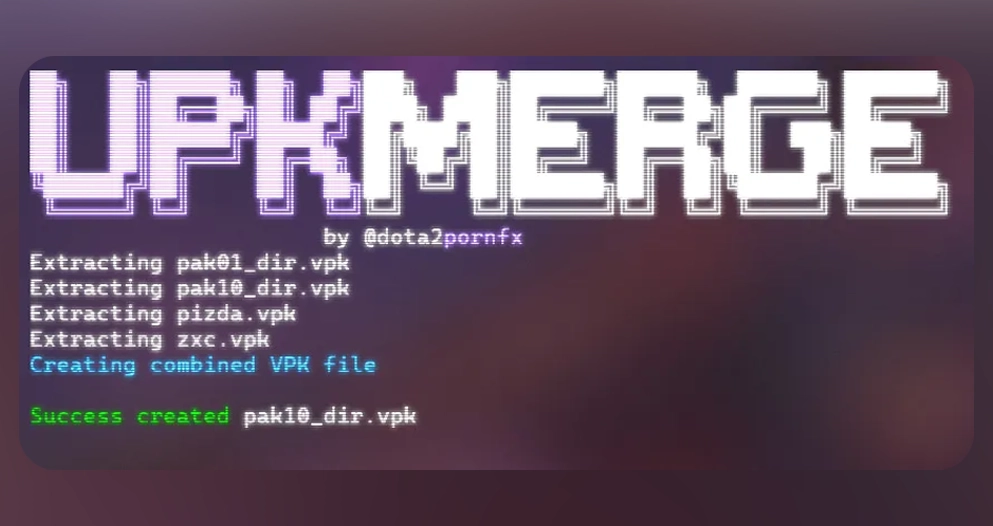
| EXE / tool | A helper such as VPKMerge | Use only from the upstream source and read tool instructions |
| Info-only link | Guide, video, or reference page | Do not treat it as a direct mod download |
Check a VPK before installation
Before installation, confirm the download comes from the linked upstream project, compare the filename with the resource card, keep the archive outside the game folder, and record what you change. Do not claim that an indexed file is safe or official; Dota2PornFx.blog preserves source links but cannot guarantee compatibility after every Dota 2 patch.
- Match the exact filename, category, preview, and update date.
- Keep a clean backup and a note of the changed path.
- Test one VPK or ZIP package at a time.
- Prefer the original upstream download or release page.
- Remove the package before stacking troubleshooting fixes.
How to open or merge a VPK
A VPK inspection or merge tool is useful when you need to view package contents or combine compatible changes. It is not automatically required for every download. The upstream Tools category includes VPKMerge builds for Windows and Linux; use the original source link and read its instructions before running an executable.

Inspect
Use a trusted VPK-aware tool when you need to see package contents.
Merge carefully
Only combine packages when their instructions and target paths are compatible.
Do not rename blindly
Changing a filename does not change the internal paths or make an incompatible package work.
Install, test, and roll back
Follow the upstream guide that matches the category and file type. Back up the target folder, add one mod, launch Dota 2, check the intended screen or hero, and remove the new package if the result is wrong. After a game update, verify the unmodified game first, then reintroduce custom files one by one.
- Back up the original files or folder.
- Install only the package you are testing.
- Launch Dota 2 and verify the exact affected area.
- If it fails, remove the new package and restore the backup.
- Use the full mod skin guide for category-specific installation and troubleshooting.
Dota 2 VPK FAQ
Continue with Dota2PornFx
Sources
- Dota2PornFxWeb guides data — Upstream guide and tool definitions checked on 2026-07-13.
- Dota2PornFxWeb source site — Original previews, categories, and download destinations.
- Valve Developer Community: VPK — Technical background for Valve package files.